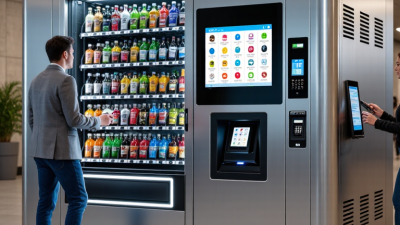
How to Choose an IT Vending Machine in 2026?
Choosing an IT vending machine in 2026 requires more than comparing screen sizes, payment options, and product capacity. The right system should fit your support workflow, employee needs, and physical environment. A machine placed beside a busy help desk faces different demands from one installed in a warehouse. Measure foot traffic, available floor space, network coverage, and replenishment frequency before requesting quotes.
Michael Kasavana, a respected vending-industry researcher, described vending as “convenience retailing.” That idea remains useful for modern IT equipment distribution. A reliable IT vending machine should provide quick access to approved laptops, keyboards, chargers, cables, and other managed devices. It should also record every transaction, connect with inventory software, and support secure employee authentication. Check whether the supplier offers device tracking, remote diagnostics, accessibility features, and clear service-level commitments. Ask for real deployment examples, not only polished demonstrations.
Look closely at the total cost.
Hardware is only one part. Consider software subscriptions, installation, maintenance, replenishment labor, payment processing, and replacement parts. Security deserves equal attention. Confirm encryption, administrator controls, audit logs, data retention policies, and integration with your existing identity platform. A strong vendor should explain these controls in plain language and provide current documentation.
No machine is perfect. Some systems promise effortless automation but still require frequent manual restocking. That weakness matters. Speak with existing customers, inspect the user interface, and test failure scenarios before signing. The best choice balances convenience, reliability, measurable support outcomes, and room for future IT changes.
What Is an IT Vending Machine and How Does It Work?
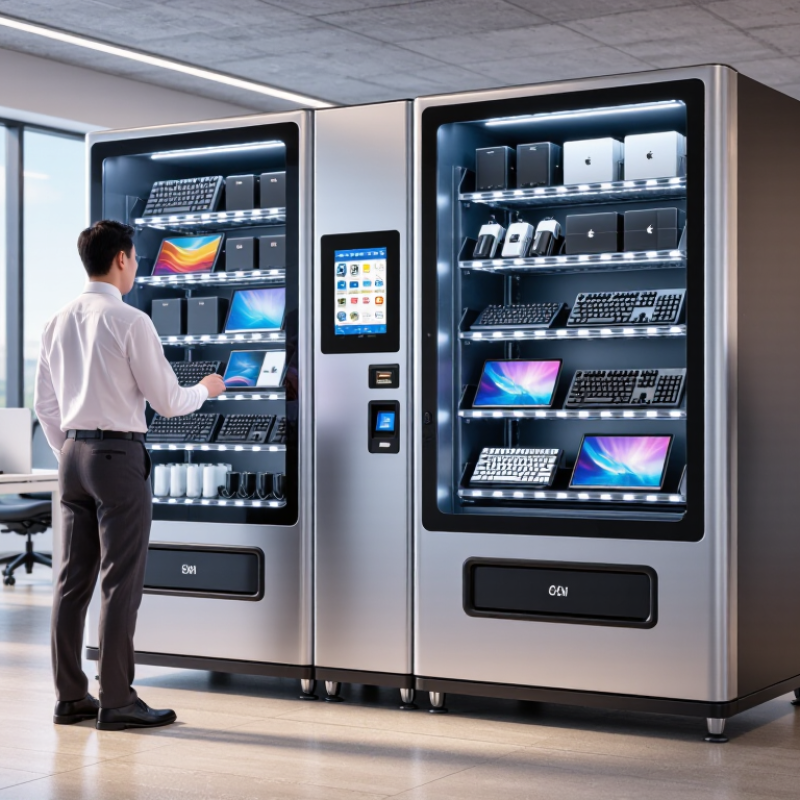
An IT vending machine is a secure, automated cabinet that dispenses approved technology items. It may hold keyboards, chargers, headsets, cables, laptops, or replacement drives. Employees use an access card, PIN, or identity app to open a compartment. The machine records the request, user, time, and item. A screen shows available stock and return instructions. In practice, this turns a slow help-desk request into a controlled self-service transaction. It is not simply a snack machine for electronics.
Behind the door, inventory sensors track each compartment and report stock to management software. The software can connect with an organization’s service desk or asset register. A worker selects an item, confirms the reason, and accepts the usage policy. The lock releases only after authorization. Some units scan a barcode or asset tag during pickup and return. Alerts can notify technicians when stock is low, an item is overdue, or a door remains open. Temperature control and charging features may matter for batteries and mobile devices. Those details are easy to overlook.
When choosing a machine in 2026, examine identity integration, audit records, accessibility, repair support, and data protection. Ask how quickly access can be revoked after an employee leaves. Test the interface with gloves and under poor lighting. Measure the cabinet beside the actual installation area, not on a brochure. Check whether stock counts remain accurate after a failed network connection. A short offline test is valuable. I would also compare refill workload, because a clever cabinet can still create manual work. No system is perfect. A pilot with real users may expose awkward returns and missing item categories before a larger purchase.
How to Choose an IT Vending Machine in 2026?
What Is an IT Vending Machine and How Does It Work?
An IT vending machine is a self-service, access-controlled cabinet that dispenses approved technology supplies such as keyboards, mice, cables, chargers, headsets, and replacement peripherals. Employees authenticate their identity, select an item, and the system records the transaction for inventory and audit purposes.
The chart presents a practical 2026 evaluation model. Security, inventory accuracy, device compatibility, uptime, and integration should receive the greatest attention when comparing solutions. The percentages are recommended purchasing weights rather than company or brand market-share data.
Which IT Equipment, Users, and Locations Should It Support?
How to Choose an IT Vending Machine in 2026?
An IT vending machine should match the equipment people actually need, not display impressive but unused devices. Common options include laptops, keyboards, mice, chargers, cables, headsets, adapters, and security tokens. Larger equipment requires stronger compartments and careful shelf design. Small accessories need clear labels and fast dispensing. Check connector compatibility before installation. A charger that fits one laptop may fail with another model.
User groups also shape the machine’s design. Employees may need replacement peripherals within minutes. Students may require short-term laptop loans. Contractors need limited access and clear return rules. Support teams should control stock, approve high-value requests, and review usage records. Accessibility matters too. The screen should be reachable, readable, and simple to navigate. Authentication must protect equipment without creating a frustrating queue.
Location affects reliability. Office lobbies support daily access, while campuses may need machines near libraries or computer rooms. Hospitals and industrial sites require stronger cleaning procedures and durable hardware. Avoid placing the machine beside heat sources, water, or crowded entrances. It needs power, network access, lighting, and space for service work. Remote monitoring helps, but it is not perfect. Sensors can miss damaged cables or incorrectly returned devices. A monthly physical inspection remains worthwhile. One overlooked detail can empty the most useful compartment first.
How to Evaluate Costs, Suppliers, Maintenance, and Scalability
How to Choose an IT Vending Machine in 2026?
An IT vending machine should match your actual support demand, not a supplier’s impressive demo. Begin with total cost, including hardware, software, installation, payment security, replenishment, and technical support. A low purchase price can hide expensive service contracts. Calculate the cost per transaction over three years. Also measure staff time saved when employees collect approved equipment without visiting a help desk. My first estimate was too optimistic. Restocking and device returns added more labor than expected.
Evaluate suppliers through evidence, not promises. Request uptime records, response-time agreements, spare-parts policies, and customer references from similar workplaces. Ask who repairs the machine after installation. A remote dashboard should show inventory levels, failed transactions, temperature warnings, and access history. Test these functions before signing. Small screens and unclear instructions can create queues during busy mornings. Reliability matters more than a polished presentation.
Tips: Run a 60-day pilot. Track demand by item, time, location, and failed pickup. Inspect the machine weekly. Keep critical accessories nearby. Choose modular storage that supports different device sizes, because inventory needs will change. Confirm whether software exports usable reports and integrates with your existing IT service process. Leave room for expansion, but do not pay for capacity you cannot justify yet. Growth is useful only when maintenance, security updates, and replenishment remain manageable.
How to Select, Deploy, and Measure the Right IT Vending Machine
Choosing an IT vending machine in 2026 starts with evidence, not a glossy specification sheet. Review the devices employees actually request, including laptops, keyboards, chargers, adapters, and security tokens. A monthly request report often exposes shortages better than interviews. Check compartment sizes, temperature control, accessibility, authentication, and offline recovery. The machine should connect with your asset platform through documented APIs. Ask for audit logs, role-based access, encryption, and clear maintenance procedures. If a supplier cannot explain failure handling, keep comparing. Small gaps become expensive.
Deploy it near the service desk or a busy office entrance, while protecting privacy and pedestrian flow. Begin with a controlled pilot in one location. Load common items, label each slot clearly, and assign an owner for replenishment. Test identity checks, stock reservations, returns, and damaged-device reporting. Our pilot exposed an awkward truth: users collected popular chargers, while rarely requested cables occupied valuable space. We adjusted the mix weekly. The process was not elegant, but real usage corrected our assumptions. Train support staff before launch, not after the first jam.
Measure median fulfillment time, stockout hours, successful pickup rate, return accuracy, and support tickets per transaction. Track emergency purchases and unused inventory costs. Compare results with the previous manual process. A useful dashboard should separate access failures from genuine demand. Review data every two weeks during deployment. Remove low-use items carefully; one unusual request may represent a critical role. Document every change and keep a human escalation path. Automation helps, but it does not replace judgment.