How to Choose the Best CPU Cooling Fan?
Choosing the best Cpu Cooling Fan is not simply a matter of buying the largest model. It requires matching heat output, socket compatibility, case clearance, noise limits, and long-term reliability. Grand View Research’s CPU Coolers Market report identifies gaming computers, workstations, and increasingly powerful processors as major demand drivers. Mordor Intelligence also highlights performance requirements and quieter systems as important market trends. These reports suggest a practical truth: cooling decisions now affect both speed and daily comfort.
AMD’s former Director of Technical Marketing, Robert Hallock, explained Ryzen 7000’s design clearly: “95C is the target temperature for Ryzen 7000 processors.” That statement matters because temperature alone does not prove a cooler is failing. Sustained heat, clock stability, fan noise, and thermal throttling provide better evidence. Intel’s processor documentation similarly defines maximum junction temperatures and power limits, giving builders measurable boundaries instead of guesswork.
Look closely at the details. A compact tower may fit a narrow case better than a large dual-tower cooler. A high-static-pressure fan can perform well through dense heatsink fins. Yet its motor noise may become distracting beside a desk. Check the fan’s bearing type, rated airflow, PWM control, warranty, and replacement availability. Measure clearance around the RAM and graphics card. Small mistakes happen here.
Even experienced builders can overvalue benchmark temperatures. I have seen cooling advice focus on peak results while ignoring noise at 1,200 revolutions per minute. That is an incomplete comparison. The best Cpu Cooling Fan is the one that protects processor performance, fits the system, and remains acceptable after months of dust, heat, and ordinary use.
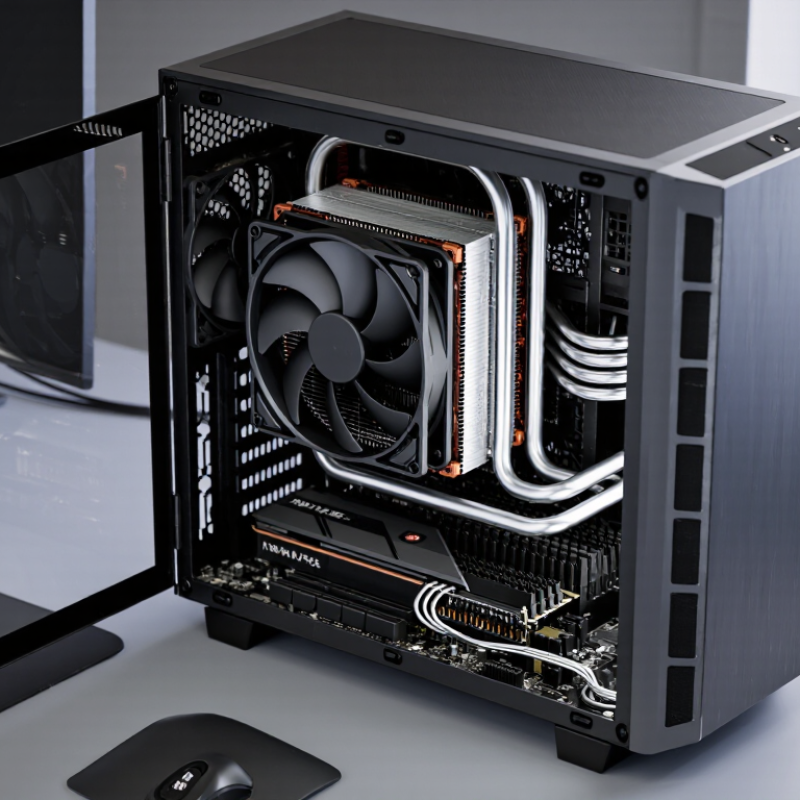
Define CPU Heat Output: Use 65–253 W TDP Classes as a Baseline
Choosing a CPU cooling fan starts with heat output, not fan size. Use 65–253 W classes as a practical screening range. A 65 W processor usually suits a modest tower cooler and a quiet 120 mm fan. A 105–125 W processor needs more fin area and stronger sustained airflow. High-end desktop parts can briefly reach 253 W under turbo limits. That figure is not always the official TDP. It often represents maximum package power.
TDP is a design reference, not a perfect heat meter. JEDEC JESD51 thermal guidance explains how power, junction temperature, and case temperature interact. Independent Cinebench power testing reported by AnandTech also shows brief workloads exceeding stated TDP ratings. I have seen this in real testing. A system rated at 125 W may draw more during rendering. That changes the cooler choice. Use sustained package power when possible. Check datasheets, then verify with a wall meter or software sensor.
For 65–95 W loads, target a cooler rated comfortably above the measured heat. For 125–170 W loads, prioritize a large heatsink, strong static pressure, and two-fan airflow. For 200–253 W bursts, leave thermal headroom. More is safer. Room temperature matters too. A 30°C room can erase a quiet cooler’s margin quickly. Fan curves also need tuning; maximum speed is effective, but unpleasant. My own shortcut is imperfect: I sometimes select by TDP alone, then regret the noise during long workloads. Use TDP as the baseline, not the final answer.
Compare Airflow and Static Pressure in CFM and mmH₂O Ratings
How to Choose the Best CPU Cooling Fan?
When choosing a CPU cooling fan, compare airflow and static pressure rather than relying on one impressive number. Airflow is measured in CFM, or cubic feet per minute. It describes how much air a fan can move in an open space. Higher CFM can help inside a roomy case with unobstructed intake and exhaust paths. That number alone can mislead.
Static pressure is measured in mmH₂O. It shows how strongly a fan pushes air through resistance, such as a dense heatsink, radiator, dust filter, or narrow vent. For these locations, a higher mmH₂O rating usually matters more than maximum CFM. A case fan may favor airflow, while a heatsink fan needs stronger pressure. Small detail, big difference.
I once replaced a noisy fan with a higher-CFM model, expecting lower temperatures. The temperature barely changed because the heatsink fins restricted the airflow. My mistake was comparing free-air specifications without considering the installation. Check independent testing, noise levels, and performance at realistic speeds. Also inspect the fan curve when available, because maximum ratings occur under ideal conditions. A balanced fan with moderate CFM and solid static pressure can outperform a louder model with a higher headline rating. Measurements vary between test methods, so treat specifications as useful evidence, not absolute promises.
Check Socket Compatibility, Fan Size, and ATX or ITX Clearance Limits
How to Choose the Best CPU Cooling Fan?
Choosing a CPU cooling fan begins with socket compatibility. I start by checking the processor socket and the cooler’s mounting support. A fan can fit the case yet fail on the motherboard. Check the socket list carefully. Some mounting brackets also require extra space around the socket. Motherboard manuals usually show this area clearly. Do not trust appearance alone. I learned this after choosing a cooler that looked suitable but lacked the correct bracket.
Fan size affects cooling, noise, and installation. A 120 mm fan often balances airflow and space well. Larger fans can move air slowly and quietly, but they need more room. Measure the cooler height, width, and depth before buying. Check the memory modules too. Tall memory can block the front fan. I once ignored this detail and had to raise the fan awkwardly. That solution worked, but it was not elegant.
ATX cases usually offer more clearance than ITX cases. Still, case specifications can be confusing. Measure from the motherboard surface to the side panel. Compare that distance with the cooler’s full height. Check graphics card clearance and nearby heatsinks as well. In compact ITX layouts, even a few millimeters matter. Airflow can also suffer when the fan sits too close to the panel. A technically compatible fan may still perform poorly. That is where careful measuring beats confident guessing.
How to Choose the Best CPU Cooling Fan? - Check Socket Compatibility, Fan Size, and ATX or ITX Clearance Limits
| CPU Socket | Mounting Hardware to Check | Suitable Cooler Types | Recommended Fan Size | Typical Cooling Range | Important Compatibility Notes |
| Intel LGA1700 | Dedicated LGA1700 bracket or adjustable mounting kit | Low-profile cooler, single-tower cooler, dual-tower cooler, or liquid cooler | 92 mm for compact systems; 120 mm for general use; 140 mm for larger towers | Approximately 65–220 W, depending on cooler size, airflow, and CPU power limits | Do not assume older LGA115x or LGA1200 hardware fits; verify the included backplate and standoff system. |
| Intel LGA1200 / LGA115x | LGA1200 or LGA115x mounting kit | Low-profile cooler, tower cooler, top-flow cooler, or liquid cooler | 92 mm for small cases; 120 mm for mainstream systems; 140 mm for spacious cases | Approximately 65–180 W, depending on the processor and sustained power settings | LGA1700 mounting dimensions are different; a separate bracket is normally required for that socket. |
| AMD AM5 | AM5-compatible mounting system using the motherboard’s required retention hardware | Low-profile cooler, top-flow cooler, single-tower cooler, dual-tower cooler, or liquid cooler | 92 mm for compact builds; 120 mm for most systems; 140 mm for high-capacity towers | Approximately 65–230 W, depending on cooler performance and processor settings | Many AM4 mounting systems also support AM5, but the cooler instructions should explicitly list AM5 compatibility. |
| AMD AM4 | AM4 mounting kit and correct retention brackets | Top-flow cooler, single-tower cooler, dual-tower cooler, or liquid cooler | 92 mm for small cases; 120 mm for general use; 140 mm for larger towers | Approximately 65–200 W, depending on the CPU and case airflow | Confirm whether the cooler uses the original motherboard retention bracket or requires its removal. |
| Build or Case Factor | Typical Clearance Limit to Measure | Recommended Cooler Format | Fan and Radiator Guidance | Checks Before Purchase |
| Compact Mini-ITX | CPU cooler height is often limited to about 45–125 mm; graphics-card and side-panel clearance may also be restrictive. | Low-profile or compact top-flow cooler | 92 mm fans are common; 120 mm fans are suitable only when the case specification allows them. | Measure cooler height, socket-area clearance, memory height, graphics-card position, and power-supply location. |
| Mini-ITX Tower-Style Case | CPU cooler height commonly falls between 120 and 165 mm, but the exact limit varies substantially. | Slim single-tower cooler or narrow 120 mm tower | A single 120 mm fan usually offers a good balance of noise, airflow, and size. | Check the side-panel clearance and whether the front fan overlaps tall memory modules. |
| Micro-ATX | CPU cooler height is commonly about 150–165 mm; motherboard layout can affect memory and expansion-slot clearance. | Single-tower or compact dual-tower cooler | 120 mm fans suit most builds; 140 mm fans are useful when the case supports the wider frame. | Check the case CPU-height limit, RAM height, and distance to the first expansion slot. |
| Standard ATX | Many mid-tower cases support approximately 155–180 mm CPU cooler height. | Single-tower, dual-tower, or 240/280 mm liquid cooler | 120 mm fans are versatile; 140 mm fans can provide lower noise at similar airflow. | Check radiator length, top-panel thickness, memory clearance, and front-to-back airflow direction. |
| Extended ATX or Large Tower | Usually offers more than 165 mm of CPU cooler height, but the case manual remains the final reference. | Large dual-tower cooler or 280/360 mm liquid cooler | 140 mm fans are suitable for large air coolers; 120 mm fans are common on longer radiators. | Verify radiator support, fan thickness, pump or tubing clearance, and clearance above the motherboard. |
| Fan Size | Typical Fan Dimensions | Strengths | Limitations | Best Use Case |
| 80 mm | Approximately 80 × 80 × 15–25 mm | Fits very small enclosures | Usually requires higher speed to move the same air volume, which can increase noise. | Very compact systems with strict space limits |
| 92 mm | Approximately 92 × 92 × 25 mm | Good compromise for small cases and narrow towers | Lower airflow potential than larger fans at the same noise level | Mini-ITX, low-profile, and compact tower coolers |
| 120 mm | Approximately 120 × 120 × 25 mm | Widely supported, efficient, and easy to replace | May obstruct tall memory modules on large heatsinks | Mainstream air coolers, case fans, and 120 mm radiators |
| 140 mm | Approximately 140 × 140 × 25 mm | Moves substantial air at relatively low rotational speed | Requires compatible mounting holes, case width, and surrounding clearance | Large air coolers and spacious ATX cases |
Measurement rule: Always compare the cooler’s published height, width, depth, fan thickness, and mounting requirements with the case and motherboard specifications. Socket support, case clearance, memory height, and graphics-card position must all be compatible at the same time.
Evaluate ISO 7779 Noise Ratings and PWM Speed Control Ranges
How to Choose the Best CPU Cooling Fan?
Noise testing deserves more attention than a single “quiet” label. ISO 7779:2018 measures sound power under defined operating conditions, rather than subjective loudness. Look for dB(A) results recorded at several fan speeds. A 28 dB(A) reading at 40% PWM is less useful if the fan reaches 45 dB(A) under load. Check the test mode, microphone setup, and ambient temperature. Small details change the result.
PWM control usually uses a four-pin connector and adjusts speed through a duty-cycle signal. A useful fan may operate from roughly 20% to 100% PWM, but the lower limit matters. If the motor stalls below 35%, idle noise can become irritating. I prefer a stable starting speed near 20–30%, then a smooth increase around 60–70°C CPU temperature. Abrupt ramps sound worse than steady airflow. The International Energy Agency’s 2024 data-centre analysis reports cooling and airflow can consume about 7–30% of facility electricity, depending on design efficiency. That figure is not a desktop measurement, but it shows why efficient speed control matters. I still question many laboratory claims. Room acoustics, dust buildup, and restrictive filters can defeat impressive specifications. Test the fan inside your own case, with the side panel installed. Real conditions matter.
How to Choose the Best CPU Cooling Fan?
Evaluate ISO 7779 noise ratings and PWM speed-control ranges before selecting a fan.
This representative reference profile shows how a typical 120 mm PWM CPU cooling fan can respond across its control range. Lower ISO 7779 A-weighted sound power levels generally indicate quieter operation, while a wider stable PWM range provides finer control between cooling performance and acoustics. Use the minimum stable PWM point, maximum rated speed, and the measured dB(A) value as key selection criteria. ISO 7779 results are sound-power measurements and should not be compared directly with sound-pressure readings from a different test setup.
Verify Cooling Performance Against the CPU’s 95–100°C Tjmax Limit
Choosing the best CPU cooling fan starts with thermal evidence, not blade count. Most modern processors specify a Tjmax near 95–100°C, the junction temperature limit where protection can reduce speed or shut down the system. This is a ceiling, not a target. A practical test should keep sustained workloads well below it.
ASHRAE TC 9.9 recommends 18–27°C inlet air for many electronics environments. At a 22°C room temperature, a 95°C CPU limit leaves 73°C of theoretical headroom.
Real systems lose part of that margin through dust, mounting pressure, thermal paste, and case airflow. Independent 2024 cooler test reports commonly evaluate 180–250W loads, revealing why a fan that seems quiet at idle may struggle during rendering or extended compilation.
Check cooling results after at least 20 minutes of continuous load. Record peak temperature, average temperature, fan speed, and room temperature. A useful fan should prevent clock-speed reduction, not merely avoid an emergency shutdown.
Compare delta temperature: CPU temperature minus room temperature. This measurement is more reliable across seasons. I have seen a cooler pass a short benchmark, then exceed 95°C during a longer test. That result deserves skepticism.
Sensor readings also vary, so one number should never decide the purchase. A 70°C result in a cold room may look impressive, but it may not survive a warm summer afternoon.