2026 Best Payment Machines for Global Buyers?

Choosing the best payment machines for global buyers in 2026 requires more than comparing screen size, printer speed, or monthly fees. A reliable machine must work across currencies, networks, languages, and customer habits. It should support EMV cards, contactless payments, mobile wallets, and secure QR transactions. It should also remain usable during weak connectivity. Small details matter, such as a readable display under bright sunlight or a receipt printer that does not jam during a busy morning.

Industry data shows why this decision matters. Worldpay’s Global Payments Report 2024 found that digital wallets represented 50% of global e-commerce transaction value in 2023. They also reached 30% of in-store payment value worldwide. The World Bank’s Global Findex 2021 reported that 76% of adults globally held a financial account. These figures reveal a wider payment landscape, not a single universal solution. McKinsey’s 2024 Global Payments Report estimated industry revenue at about $2.4 trillion in 2023. Scale is impressive, but compatibility still decides daily performance.

Jim Magats, former PayPal executive, described the industry’s direction clearly: “Payments are becoming invisible.” That idea should guide this comparison. The strongest payment machines reduce friction without hiding security, pricing, or accountability. We will examine acceptance coverage, transaction reliability, settlement speed, fraud controls, software integration, and total ownership cost. No device wins everywhere. A compact terminal may suit a café, yet disappoint a distributor processing thousands of invoices. We may also overvalue advanced features and underestimate staff training. That is an important weakness to acknowledge before choosing equipment for global buyers.
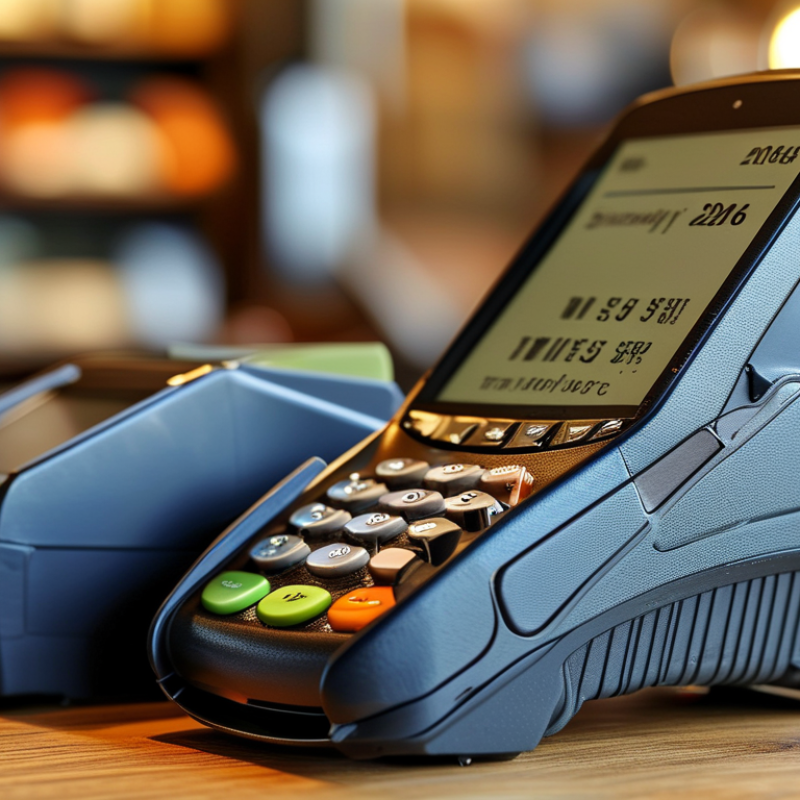
2026 Best Payment Machines for Global Buyers?

What Are Payment Machines and How Do They Work?

What Are Payment Machines and How Do They Work?

Payment machines are electronic devices that let customers pay for goods or services at a physical location. They usually accept contactless cards, chip cards, mobile wallets, and sometimes magnetic stripes. A screen shows the amount, while a keypad or touchscreen collects the customer’s confirmation. Many newer machines also support receipts through paper, email, or text messages.

The process is quick but involves several careful steps. The machine reads encrypted payment data and sends an authorization request through a secure network. The payment provider checks the account, transaction limits, and basic fraud signals. If approved, the machine displays confirmation and records the transaction for later settlement. A stable internet connection is important, although some devices can store limited transactions temporarily. That feature needs careful control.

When comparing payment machines for global buyers in 2026, examine supported currencies, network options, language settings, and accessibility features. A clear screen helps users in bright outdoor markets. A strong battery matters for mobile sellers. Security updates should arrive regularly, and device logs should be easy to review. In practical testing, small delays can frustrate customers more than expected. No machine is perfect. Poor connectivity, confusing prompts, or a failed receipt can still interrupt a sale. Buyers should test real payment scenarios before ordering large quantities.
Which Payment Machine Types Suit Global Buyers?

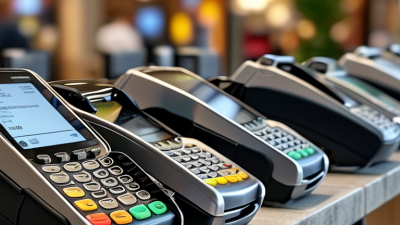
Global buyers should match payment machine types to customer habits, not only purchase volume. Countertop terminals suit hotels, shops, and clinics with stable checkout points. Mobile POS devices work better for markets, delivery teams, and temporary sales areas. Smart terminals add inventory, receipts, QR payments, and staff controls. They need stronger software management, though. Worldpay’s Global Payments Report 2024 found digital wallets represented about 50% of global e-commerce value and nearly 30% of in-store payment value. This supports machines accepting cards, wallets, and local QR methods.

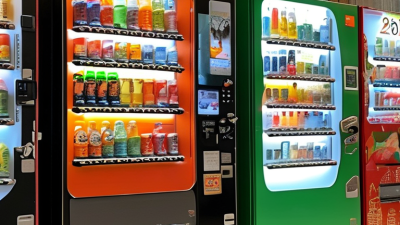
Unattended terminals fit parking, transport, vending, and self-service environments. Choose rugged hardware with remote monitoring and offline transaction support. The World Bank’s Global Findex 2021 reported that 76% of adults held a financial account globally. Access is expanding, but payment preferences still vary sharply by country. Global buyers should check local acquiring support, currency handling, network compatibility, and settlement timelines. Security also matters. Look for EMV acceptance, PCI PTS approval, encrypted transmission, tokenization, and automatic software updates. A perfect machine does not exist.

Tips: Test the terminal with real network conditions, foreign cards, contactless wallets, refunds, and power interruptions. Ask for transparent currency-conversion fees. Keep a fallback device. Small details can become expensive problems. Compare warranty coverage, replacement speed, receipt options, and remote support before signing. A low purchase price may hide integration and maintenance costs.

2026 Best Payment Machines for Global Buyers? – Which Payment Machine Types Suit Global Buyers?
Payment Machine Type Best Fit for Global Buyers Typical Connectivity Supported Payment Methods Mobility and Power Best Use Cases International Deployment Considerations Relative Cost Level
Countertop Card Terminal Retail stores, pharmacies, restaurants, and service counters with a fixed checkout Ethernet Wi-Fi Optional cellular EMV chip cards, contactless cards, NFC wallets, magnetic-stripe fallback where permitted, and QR payments when enabled by the payment application Designed for permanent placement and continuous mains power; usually includes a customer-facing display and keypad High-volume checkout, tax-enabled point of sale, receipt printing, and integration with cash registers Confirm local electrical requirements, supported cellular bands, language options, receipt regulations, currency handling, and local acquiring support Low to medium
Portable Wireless Terminal Restaurants, hotels, clinics, delivery services, and businesses collecting payment away from a fixed counter Wi-Fi 4G/5G cellular Bluetooth on selected models EMV chip cards, contactless cards, NFC wallets, magnetic-stripe fallback where allowed, and selected QR schemes Rechargeable battery; commonly supports several hours of active use depending on transaction volume, screen brightness, and network conditions Table-side payment, curbside collection, mobile sales teams, pop-up events, and field service Check SIM or eSIM arrangements, roaming restrictions, 4G/5G frequency compatibility, battery replacement policy, and offline-transaction rules Medium
Smart Android Payment Terminal Merchants needing payment, inventory, loyalty, ordering, and business applications on one device Wi-Fi 4G/5G Bluetooth USB EMV chip cards, contactless cards, NFC wallets, QR payments, and other methods supported by the installed payment application Portable or countertop formats; rechargeable battery on mobile versions; larger touchscreen than traditional terminals Omnichannel retail, restaurants, appointment services, digital receipts, self-ordering, and software-led operations Verify operating-system support lifecycle, application distribution controls, multilingual capability, data privacy requirements, and payment security certification Medium to high
Mobile POS Card Reader Microbusinesses, freelancers, market sellers, and low-volume mobile merchants Bluetooth Host smartphone connection Usually contactless cards, NFC wallets, and EMV chip cards; exact support depends on the payment application and reader model Small and battery powered; depends on a compatible smartphone or tablet for display, network access, and merchant controls Mobile invoicing, local services, fairs, markets, and occasional card acceptance Confirm compatibility with Android and iOS versions, local payment application availability, phone-region restrictions, data charges, and receipt options Low
Integrated POS Terminal Multi-lane retailers and businesses requiring direct synchronization with a cash register or enterprise system Ethernet Wi-Fi USB Serial or IP integration EMV chip cards, contactless cards, NFC wallets, and locally supported payment methods Usually fixed at the checkout; may use a separate customer-facing pin-entry device Fast checkout, automatic payment-status updates, split tender, refunds, reporting, and centralized estate management Confirm API or protocol compatibility, integration testing responsibility, local fiscalization rules, network redundancy, and support for multiple acquirers Medium to high
Unattended Payment Terminal Vending, parking, ticketing, transport, charging stations, and self-service kiosks Ethernet 4G/5G Serial USB or MDB depending on equipment Primarily contactless cards and NFC wallets; chip-card, QR, or magnetic-stripe support depends on the device and local requirements Fixed installation; designed for outdoor or semi-outdoor use when the enclosure and environmental rating are suitable 24-hour self-service environments, unattended retail, automated transport payment, and remote machine monitoring Evaluate vandal resistance, temperature and moisture ratings, accessibility, tamper detection, remote diagnostics, certification for unattended use, and long-term spare parts Medium to high
PIN Entry Device for Embedded Systems Manufacturers and solution integrators embedding payments into kiosks, fuel equipment, transport systems, or industrial machines Serial USB Ethernet Secure host interface EMV chip cards, contactless cards, NFC wallets, and other methods supported by the certified payment kernel and application Installed inside a larger machine or kiosk; normally powered by the host equipment Original equipment manufacturing, transport gates, fuel dispensers, automated retail, and industrial payment systems Requires formal integration, security architecture review, environmental testing, key-management planning, and compliance with applicable payment-terminal security requirements High
QR Payment Display or Smart QR Terminal Markets where account-based payments and mobile wallets are widely used, especially for low-value transactions Wi-Fi Cellular Bluetooth USB Static or dynamic QR payments, mobile-wallet payments, and card acceptance only when combined with a card reader Small countertop or portable formats; some models have a battery and speaker for payment confirmation Small retailers, transport, food stalls, service counters, donations, and fast low-value transactions QR standards and wallet acceptance are highly market-specific; verify settlement currency, refund support, fraud controls, network availability, and printed or digital receipt requirements Low to medium
Self-Service Kiosk Payment Module Large projects requiring a complete payment component for a kiosk, ticket machine, or automated service point Ethernet 4G/5G USB Serial Contactless cards, EMV chip cards, NFC wallets, QR payments, and optional cash or barcode components depending on the kiosk design Fixed installation; often requires a custom enclosure, access control, ventilation, and power protection Ticketing, parking, public services, healthcare check-in, transport, and automated retail Confirm accessibility height and reach requirements, outdoor protection, remote software updates, service access, payment-flow liability, and local regulatory approval High
Selection notes: Actual availability, transaction fees, supported currencies, settlement countries, offline-payment permissions, and acquiring connections vary by market and payment service provider. For international procurement, buyers should request current EMVCo and PCI-related certification evidence, regional radio approvals, supported cellular bands, software-support commitments, warranty terms, and local technical service coverage before purchase.

What Features Matter Most When Choosing a 2026 Payment Machine?

Choosing a 2026 payment machine starts with the customer’s actual checkout experience. Test contactless cards, chip cards, mobile wallets, and approved QR payments in a busy setting. The screen should remain readable under bright sunlight and respond quickly to wet or gloved fingers. Small details matter. A clear receipt option also reduces confusion.

Security must be practical, not just advertised. Look for end-to-end encryption, tokenization, tamper detection, role-based access, and regular software updates. The device should support current payment security standards and provide transparent audit records. Ask how updates are verified and how quickly security issues are handled. Vague answers deserve caution.

Connectivity is equally important for global buyers. Reliable Wi-Fi, cellular support, and a controlled offline mode can protect sales during brief network outages. However, offline payments need clear limits and later verification. Check settlement currencies, exchange-rate displays, tax settings, and integration with accounting systems before purchase. A strong battery helps a market stall or delivery counter, while a replaceable option may reduce long-term waste. Accessibility should not be overlooked; adjustable text, audio guidance, and simple prompts serve more customers. No machine is perfect. I would still test it with a slow network, a failed payment, and a rushed cashier before approving it. Support quality often matters more than a polished specification sheet.

2026 Best Payment Machines for Global Buyers

Which features matter most when choosing a 2026 payment machine? Global point-of-sale payment data shows why broad acceptance, contactless capability, mobile-wallet support, and reliable connectivity should be key buying criteria.

The chart presents rounded 2023 worldwide point-of-sale payment-value estimates. Payment machines should support multiple payment interfaces because no single method dominates every market.

How to Compare Security, Compatibility, and Total Cost?

2026 Best Payment Machines for Global Buyers?

Security should be tested in real selling conditions, not judged by a polished screen. I compare devices during busy checkout periods, with contactless cards, chip cards, and unstable connections. Look for strong encryption, tokenization, secure authentication, and documented security updates. Ask who manages the keys and how quickly incidents are reported. A locked casing helps. It does not replace sound software controls.

Compatibility can fail quietly. Confirm support for your payment processor, sales system, receipt tools, and supported card networks. Check contactless performance through a thick counter or protective case. Test different currencies, languages, tax settings, and time zones before buying. Global use may require country-specific approval. Obtain those details in writing. Also test weak internet, battery loss, refunds, and transaction recovery. I have seen a device accept payments but delay receipts for several minutes. That small fault can frustrate customers.

Total cost needs a wider view than the purchase price. Add software fees, transaction charges, currency conversion, support, replacement units, and delivery. Calculate the cost over 24 or 36 months. Include staff training time. It counts. Ask about repair turnaround, warranty limits, data export, and contract changes. One practical test is simple: process 100 sample transactions and record failures, speed, and staff effort. I once underestimated support costs because the machine itself was inexpensive. That mistake still influences how I compare quotes.

How Can Businesses Select and Deploy the Right Payment Machine?

2026 Best Payment Machines for Global Buyers?

How Can Businesses Select and Deploy the Right Payment Machine?

Choosing a payment machine starts with the checkout environment, not the device catalogue. A busy airport counter needs fast processing, strong connectivity, and a readable screen. A small retail shop may value battery life and simple training. List daily transactions, average ticket size, payment methods, and supported currencies before comparing hardware.

Security must remain practical. Select devices with current encryption, secure key management, tamper detection, and tokenized payment data. Confirm that the payment provider supports required regional regulations and clear data retention policies. Ask for independent security certifications and documented software updates. These details build trust, but paperwork alone is not enough.

Test the machine where it will operate. Try weak Wi-Fi, crowded counters, bright sunlight, and a nearly empty battery. Measure approval time and receipt delivery. Train staff to handle declined payments without exposing customer information. A limited pilot can reveal surprising problems, such as poor cable placement or confusing prompts. No checklist is perfect. Businesses should record these failures, review them with the payment provider, and adjust deployment plans before expanding. In some markets, local technical support matters more than a slightly lower purchase price.